

The AI tool Cody is designed for businesses that want more than a general chatbot. Instead of relying only on broad public knowledge, Cody is built around a company’s own documents, processes, and internal information. On its official site, Cody describes itself as an AI assistant that can be trained on your business, team, processes, clients, and knowledge base, with sharing options for employees or customers.
That positioning matters because many businesses do not just need an AI that can chat. They need an AI that can answer questions from internal files, support onboarding, help with troubleshooting, assist customer support, and work within their own operating context. Cody’s official materials say users can upload files or import content by URL, create specialized chatbots for different tasks, share them through links or embeds, and use the platform across languages.
In simple terms, Cody sits in the category of business AI assistants and AI knowledge base tools. Its appeal comes from turning existing company information into something conversational and easier to access. Rather than making employees dig through documents, wikis, presentations, PDFs, or web pages, Cody aims to surface relevant answers quickly. The company’s site says the platform can search across accumulated company data, including articles, PowerPoints, and PDFs, and use relevant documents to answer questions.
This article gives a full, SEO-optimized overview of the AI tool Cody, including what it is, how it works, what features it offers, where it fits best, its advantages, its limitations, and why it has become relevant for businesses exploring AI adoption.
What Is AI Tool Cody?
Cody is a business-focused AI assistant built to work from an organization’s own information. According to Cody’s official site, it is “an intelligent AI assistant like ChatGPT” with the added ability to be trained on business data, processes, teams, and clients through a knowledge base.
That makes Cody different from a standard consumer chatbot in one important way. A normal AI assistant is useful for general tasks like drafting, brainstorming, or summarizing public information. Cody is meant to be grounded in your material. The product’s own description emphasizes answering questions, helping with creative work, troubleshooting issues, and brainstorming ideas using company-specific knowledge.
Cody also presents itself as a kind of AI employee or virtual assistant for businesses. Its official FAQ says Cody can assist with answering questions, completing tasks, onboarding new hires, providing support and troubleshooting, and bringing ideas and insights into business workflows.
So, when people search for AI tool Cody, they are usually looking for a platform that combines three things:
- conversational AI,
- internal knowledge retrieval,
- business workflow support.
That combination is what places Cody in the growing market of custom AI assistants for enterprises, teams, and service-based organizations.
How Cody AI Works
Cody’s official product page breaks its workflow into a few clear stages. First, users add information by uploading files or importing content through URLs. Then they can customize chatbots for different roles or use cases, adjust settings, and finally share those assistants with employees or customers through links, inline embeds, popup embeds, or API-based integrations.
The knowledge side is central to how Cody works. The platform says it can search company data sources and use the most relevant documents to generate responses. That means Cody is positioned less as a pure content generator and more as a retrieval-based business assistant with generative AI layered on top.
Cody also says it supports many content types and integrations. The product page references document types such as PPT and DOCX, along with website imports, Notion, Slack, API access, embeds, Discord, and chat options.
From a practical business perspective, the setup usually looks like this:
- Upload company files, help docs, SOPs, onboarding documents, or product information.
- Create one or more specialized assistants.
- Define the purpose of each assistant.
- Ask questions in natural language.
- Share the assistant internally or externally.
That setup is why Cody is often relevant for support teams, operations teams, HR, sales enablement, and knowledge management.
Core Features of AI Tool Cody
1. Knowledge Base Training
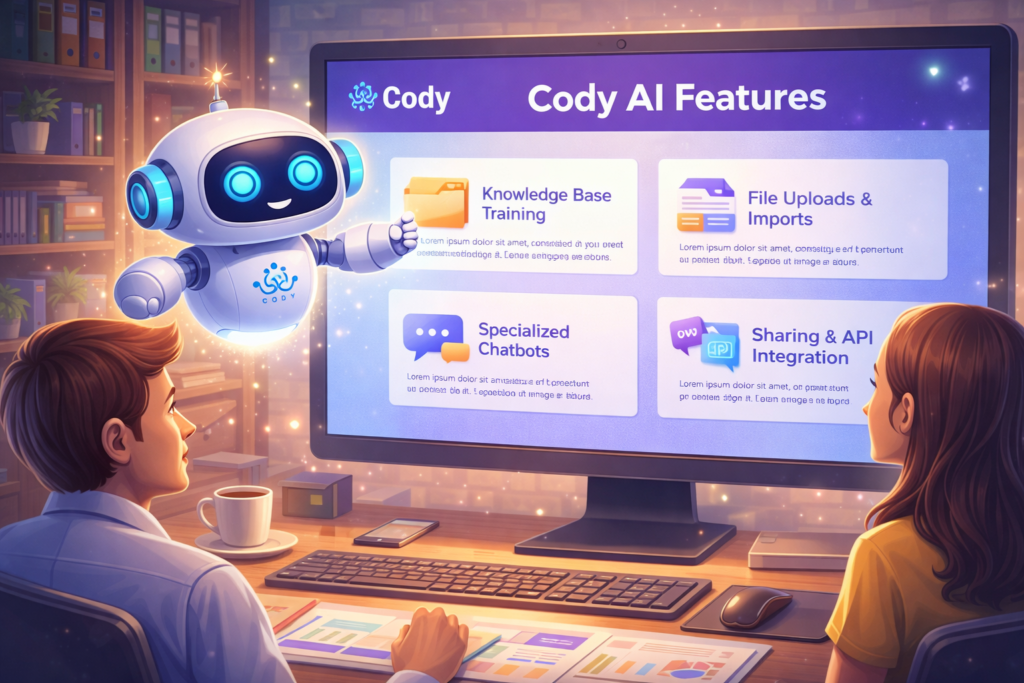
The most important feature of Cody is knowledge-base-driven assistance. Cody’s official messaging repeatedly emphasizes that the platform can be trained on your business, your files, your processes, and your client information.
This is useful because a general AI model may produce broad answers, while a trained business assistant can answer from internal documentation and reference the organization’s own materials.
2. File Uploads and URL Imports
Cody says users can upload files or import content using URLs. That makes it easier to bring websites, internal resources, and existing documentation into the system without rebuilding everything from scratch.
3. Specialized Chatbots
The platform says users can create different chatbots for different uses and customize their roles, strictness, and settings. This matters because businesses usually do not want one generic assistant doing everything. A support assistant, HR assistant, IT assistant, and customer-facing product assistant often need different scopes and instructions.
4. Sharing and Embedding
Cody’s official site says assistants can be shared through a shareable link, inline embed, or popup embed. This expands Cody beyond an internal-only tool and makes it more useful for customer-facing help experiences as well.
5. API Access
Cody has an official developer portal with API documentation, and the docs note a v1 API with a base URL under getcody.ai. That signals that the product is designed not only as a point-and-click interface but also as something developers can integrate into larger systems and custom workflows.
6. Multilingual Support
Cody’s main product page says it “works in every language,” which is a notable feature for global teams and multilingual customer support environments.
7. Use Case Templates
Cody publishes multiple use-case pages for roles like customer support chatbot, IT support chatbot, factual research assistant, and business consultant. These pages indicate that the platform is actively positioning itself around role-specific deployments rather than one-size-fits-all usage.
Main Use Cases for Cody AI
Customer Support
Cody has a dedicated customer support chatbot use-case page that says businesses can let customers interact with documentation through a knowledge base, with the goal of faster resolution times and improved satisfaction.
This makes Cody useful for companies with product documentation, help centers, or complex service offerings. Instead of customers opening multiple articles, they can ask questions conversationally and receive answers based on available documentation.
IT and Internal Help Desk
Cody also has an IT support chatbot use-case page. It describes the assistant as something that can answer technical questions, troubleshoot issues, and guide users through challenges using organizational knowledge and resources.
This is especially useful in organizations where repetitive internal questions consume staff time.
HR and Onboarding
Cody’s FAQ and blog material mention onboarding new hires and HR-style support. In one blog post, the company says Cody can help with routine HR inquiries, scheduling interviews, answering frequently asked questions, and guiding onboarding processes.
That suggests Cody can serve as a support layer for employee information access, especially where onboarding or policy documents are extensive.
Research and Knowledge Retrieval
Cody’s “Factual Assistant” use-case page says it helps users cut down time spent searching through thousands of documents by letting the assistant find answers from organizational knowledge.
This is one of the most valuable enterprise use cases because knowledge is often scattered across files, decks, notes, PDFs, and internal content systems.
Business Strategy and Consulting Support
Cody’s business consultant template says the assistant can help analyze industry trends, competitor performance, and unique selling points using company knowledge plus broader business knowledge.
Used carefully, this could support planning, market review, and internal analysis workflows.
Creative and Marketing Support
Cody’s main pages say it can help with creative work and brainstorming. The company’s blog also mentions marketing-related support and product-query-style assistance.
This means Cody is not limited to question answering. It can also support content-related workflows, especially when brand, product, or company knowledge needs to stay central.
Benefits of Using AI Tool Cody

Faster Access to Internal Information
One of Cody’s strongest business benefits is reducing time spent searching. Cody’s factual assistant page explicitly highlights cutting down time spent searching through large document collections.
In real terms, that can save teams from switching between folders, docs, PDFs, and internal portals.
More Relevant Business Answers
Because Cody is trained on company information, its value lies in relevance. Instead of generic AI responses, the goal is to provide answers grounded in business-specific material. Cody’s own description emphasizes using the business’s knowledge base to support responses.
Better Support at Scale
Whether for employees or customers, Cody can make information easier to access through chat. Its support-focused templates suggest it is intended to improve answer speed and service quality.
Easier Onboarding
If a company stores onboarding documents, SOPs, team procedures, and HR material in Cody, new employees can ask natural-language questions instead of manually searching across documents. Cody’s official FAQ and blog both support this onboarding use case.
Customization by Department
Because Cody allows specialized chatbots, companies can build assistants for operations, support, HR, sales, or knowledge management separately.
That kind of segmentation is important because it improves clarity, scope control, and usability.
Multichannel Deployment
Sharing through embed, links, and API means Cody can fit into existing systems rather than forcing all use into a single interface.
Cody AI for SEO and Content Teams
For content and SEO teams, Cody is not exactly the same as a pure AI writing tool. Its strength is not just producing text from scratch. It is stronger as a knowledge-aware assistant that can reference company information and internal resources when generating answers. That inference follows from the way Cody presents itself: trained on business knowledge, designed to answer questions, support creative work, and retrieve information from uploaded material.
This can help SEO and content teams in several ways:
- summarizing internal product documents,
- turning product knowledge into content drafts,
- answering team questions about brand messaging,
- improving consistency across content,
- supporting internal content operations.
However, Cody is best viewed as a business-grounded assistant rather than a standalone SEO platform. Its real advantage for SEO teams would be content alignment, internal knowledge reuse, and faster access to business information.
Security and Data Handling Positioning
Cody’s site says it is trusted by over 50,000 businesses and mentions AWS encryption and SOC II vector database privacy standards on its product page. Its blog also includes a security-focused article emphasizing data safety and privacy efforts.
That said, any business evaluating a knowledge-based AI system should still do its own security and compliance review. Vendor marketing claims are useful starting points, but internal legal, procurement, and IT teams typically need to verify how data is processed, stored, retained, and governed.
Limitations of AI Tool Cody
No AI tool is perfect, and Cody has practical limits businesses should think about.
It Depends on the Quality of Your Knowledge Base
If internal documents are outdated, contradictory, or incomplete, the AI assistant will reflect those weaknesses. Cody’s own setup model is built around uploaded and imported knowledge.
It Is Not a Substitute for Judgment
Cody can surface answers and assist with tasks, but high-stakes decisions still need human oversight. Even Cody’s business-oriented blog frames decision support as something that contributes information while humans remain in charge.
It May Need Ongoing Maintenance
A business assistant trained on company knowledge is only valuable if that knowledge stays updated. New product versions, policy changes, or process changes require maintenance.
It Is Best for Structured Business Use Cases
Cody appears strongest where there is an existing body of documentation and a repeated need for question answering, support, onboarding, or workflow guidance. It may be less valuable for teams looking only for pure creative generation without a knowledge-base component. This is an inference from Cody’s product positioning and use-case structure.
Who Should Use Cody AI?

Cody is a good fit for:
- small and mid-sized businesses with large internal documentation,
- customer support teams,
- HR and onboarding teams,
- IT support environments,
- operations-heavy companies,
- service businesses with process knowledge,
- teams that want a custom AI assistant connected to their own data.
Its own use-case pages strongly support customer support, factual research, IT support, and business consulting scenarios.
It may be especially useful when a team already has useful documents but struggles to make them easy to search and use.
Is Cody AI Worth It?
Whether Cody is worth it depends on the problem a business is trying to solve.
If the goal is simply to generate blog paragraphs or ad copy, there are many broader AI writing tools that can handle that task. But if the goal is to build a business-aware assistant that can answer from internal knowledge, support employees or customers, and plug into real workflows, Cody’s official feature set makes it a relevant option.
Its value grows when a company has:
- a lot of documentation,
- repeated questions,
- onboarding friction,
- support needs,
- internal knowledge that is hard to access.
In those environments, Cody can act less like a novelty chatbot and more like a practical knowledge interface.
Final Thoughts
The AI tool Cody is best understood as a business AI assistant trained on your company’s knowledge base. Its official pages position it around business-specific context, file and URL ingestion, specialized chatbots, embeds, API access, multilingual use, and role-based templates for support, research, consulting, and IT.
That makes Cody part of a very important shift in AI adoption. Businesses are moving away from seeing AI only as a generic chatbot and toward using it as a company-trained assistant that can retrieve, explain, and operationalize internal knowledge. Cody fits directly into that trend.
Its strengths are clear: better access to internal information, support for multiple business functions, easier onboarding, and flexible deployment options. Its limitations are also clear: it depends heavily on the quality of your knowledge base, still needs human oversight, and requires ongoing upkeep to stay reliable.
For businesses that want a custom AI assistant grounded in their own documents and workflows, Cody is a serious category fit. For businesses that only want a general-purpose chatbot, it may be more than they need. The difference comes down to one question: do you need general AI, or do you need AI that knows your business?