
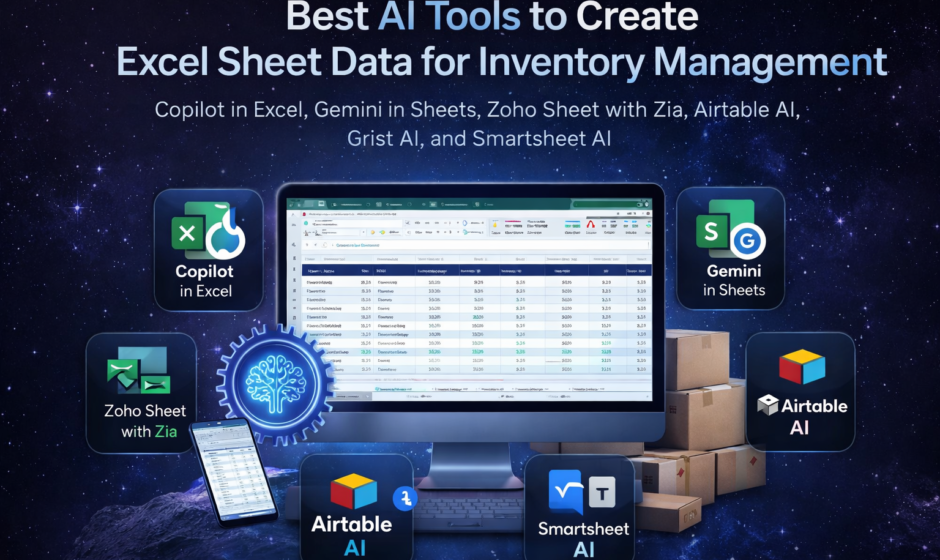

Managing inventory used to mean long spreadsheets, manual stock counts, endless formula checks, and frequent human error. Today, that process is changing fast. Businesses now use AI-powered spreadsheet and workflow tools to build inventory sheets, generate sample data, clean records, create formulas, summarize stock trends, and even turn spreadsheet data into smarter inventory systems. Microsoft says Copilot in Excel can help users create spreadsheets, analyze data, generate insights, and import external data, while Google says Gemini in Sheets can create tables and charts, build templates, generate formulas, and structure and clean data.
If you are searching for the best AI tool to create Excel sheet data for inventory, the answer depends on what you actually need. Some users want AI to generate an inventory spreadsheet from scratch. Others want help writing formulas, building reorder alerts, cleaning item names, generating demo stock data, or converting an ordinary sheet into a more dynamic inventory workflow. Current official product pages show that the strongest options in this space include Microsoft Copilot in Excel, Gemini in Google Sheets, Airtable AI, Grist AI, Zoho Sheet with Zia, and Smartsheet AI. Each one serves inventory work in a slightly different way.
The good news is that AI inventory spreadsheet tools are no longer limited to large enterprises. Microsoft positions Copilot in Excel as a tool that helps with everything from simple spreadsheets to advanced analysis, while Google highlights Gemini in Sheets for building trackers, tables, and visualizations with natural-language prompts. Zoho says Zia in Zoho Sheet can generate sample datasets, formulas, and even VBA macro code. That means even small businesses, online sellers, warehouses, pharmacies, clinics, retailers, and service companies can now build smarter inventory sheets without needing advanced spreadsheet expertise.
Why businesses need AI for inventory spreadsheets
Inventory spreadsheets are useful, but they break down when the data becomes messy or large. Duplicate SKUs, missing stock counts, inconsistent item names, supplier confusion, reorder delays, and formula mistakes can quickly make a manual inventory file unreliable. AI tools help reduce that friction by assisting with formula writing, data cleanup, categorization, summaries, automation, and faster spreadsheet setup. Google specifically states that Gemini in Sheets can structure and clean data, while Microsoft says Copilot in Excel can help users understand formulas, analyze data, and generate insights.
This matters because inventory management is not just about listing products. A useful inventory spreadsheet needs columns such as product name, SKU, category, supplier, current stock, reorder level, cost price, selling price, warehouse location, expiry date where relevant, and last updated date. It also often needs formulas for stock valuation, low-stock alerts, stock movement, and reorder forecasting. AI can speed up the creation of all of this and reduce the amount of manual setup required. This is an inference based on the official capabilities these tools advertise for tables, formulas, templates, summaries, and data analysis.
Best AI tools to create Excel sheet data for inventory
1. Microsoft Copilot in Excel
For users who work directly in Microsoft Excel, Copilot in Excel is one of the strongest choices. Microsoft says Copilot in Excel helps users create and understand formulas, analyze data for insights, and even import data from outside Excel. Microsoft also says Copilot can help users create spreadsheets ranging from simple sheets to advanced analysis. That makes it a practical option for inventory teams already using Excel as their main file format.
For inventory management, Copilot in Excel is especially useful if you want to stay inside the Excel environment. You can use it to set up inventory tables, build formulas for low-stock warnings, create filters, apply sorting, and improve readability with validation or formatting. Microsoft also notes that Copilot can help convert ranges into tables and assist with filters, sorting, data validation, and conditional formatting. Those are exactly the functions most inventory sheets need to work properly.
Another strength is familiarity. If your business already uses Excel for purchases, warehouse counts, or vendor records, Copilot lets you add AI help without switching platforms. That makes Microsoft Copilot in Excel arguably the best AI tool for users who want to create or improve Excel-based inventory sheet data specifically, rather than move to a new app. This conclusion is based on Microsoft’s official positioning of Copilot as an AI layer within Excel itself.
2. Gemini in Google Sheets
If your team works in a shared cloud environment, Gemini in Google Sheets is another strong option. Google says Gemini in Sheets can create tables and charts, build organizational templates, generate formulas, structure and clean data, and help users create trackers and visualizations with simple prompts. Google also highlights enhanced Smart Fill with Gemini for automatically filling text fields when there are recognizable patterns in the sheet.
For inventory work, this is useful when you need to build a stock tracker quickly, standardize vendor or category fields, or generate formulas for stock status and reorder calculations. If multiple team members need to access the same inventory file in real time, Gemini in Sheets has a collaboration advantage because Google Sheets is already built for shared editing and browser-based access. That makes it a strong fit for fast-moving retail teams, ecommerce teams, purchasing teams, and small operations that value accessibility.
Gemini in Sheets is especially attractive for users who do not want to learn advanced spreadsheet formulas manually. Since Google explicitly says Gemini can generate formulas and organizational templates, users can describe what they need in plain language instead of building everything from scratch. For many small businesses, that can dramatically shorten the time it takes to launch an inventory tracker.
3. Airtable AI
Although Airtable is not traditional Excel, it is one of the most useful AI-powered tools for inventory-style data workflows. Airtable says its platform allows users to build AI-powered apps and workflows, and its AI offerings support editable outputs and no-code app building. Airtable also highlights operations workflows and integrations with ERP, CRM, warehouse, and other systems.
For inventory management, Airtable is better suited to businesses that have outgrown basic spreadsheets but still want a spreadsheet-like interface. An inventory file in Airtable can become something more structured, with linked records, views, forms, automations, dashboards, and collaboration layers. If your current Excel sheet is becoming hard to maintain, Airtable AI may be the next step rather than a direct spreadsheet assistant. This is an inference drawn from Airtable’s official product description and operations workflow positioning.
So while Airtable may not be the best answer for users who strictly want an Excel file, it is one of the best AI tools for building a more scalable inventory data system from spreadsheet logic. It is particularly useful for teams that need inventory records tied to orders, suppliers, warehouses, or fulfillment workflows.
4. Grist AI
Grist AI is a powerful option for users who want spreadsheet flexibility with database-style structure. Grist says its AI assistant is context-aware, understands relational data structures, can build document architecture, generate Python formulas from plain English, help clean data, and create spreadsheet workflows from prompts. Grist also offers inventory tracking templates designed to manage stock and incoming and outgoing orders.
This makes Grist especially valuable for inventory systems with multiple related tables, such as products, suppliers, purchase orders, warehouse locations, and stock movements. A normal Excel sheet can do some of this, but it becomes complex quickly. Grist is designed to handle those relationships more naturally while still feeling familiar to spreadsheet users.
For users who want AI to generate a proper inventory structure rather than just help with formulas, Grist is one of the best tools available right now. Its template library also makes it easier to start from a working inventory model instead of a blank file.
5. Zoho Sheet with Zia
Zoho Sheet is a very practical choice for users who want AI assistance specifically around spreadsheet creation, sample data, formulas, charts, pivots, and analysis. Zoho says Zia can generate sample datasets, formulas, and VBA macro code. Zoho also says Zia can answer questions about data in plain English and create charts and pivot tables to help users understand information more easily.
This is particularly useful for inventory planning because one of the hardest parts of creating an inventory spreadsheet is often the starting point. You need field ideas, structure, sample rows, formulas, and reporting logic. Zoho explicitly says Zia can generate sample data sets, which makes it a strong option for demos, mockups, staff training files, and early setup.
Zoho Sheet is a good middle-ground choice for businesses that want AI help but do not necessarily want to stay inside Microsoft or Google ecosystems. For inventory users who want a spreadsheet-centric experience with AI-generated data support, Zia is one of the most directly relevant tools on the market.
6. Smartsheet AI
Smartsheet AI is another strong choice, especially for teams that manage inventory as part of broader operations, procurement, or project workflows. Smartsheet’s official AI materials say the platform can generate formulas, text, and summaries, provide intelligent form fill, and analyze data. Smartsheet also says users can build formulas conversationally and add charts to dashboards with real-time updates.
For inventory operations, this is most helpful when the spreadsheet is only one part of a larger business process. If your team tracks stock requests, approvals, receiving logs, vendor inputs, and dashboard reporting, Smartsheet may fit better than a plain spreadsheet tool. It is less of a direct Excel replacement and more of a structured work-management layer with spreadsheet familiarity. That interpretation is based on Smartsheet’s official description of its platform as intelligent work management with AI-driven analysis and form fill.
Which AI tool is best for inventory Excel sheet creation?
If your goal is strictly creating inventory data in Excel, then Microsoft Copilot in Excel is the best fit because it works directly in Excel and is officially designed to help create spreadsheets, formulas, analysis, and data workflows inside that environment.
If your goal is collaborative cloud inventory tracking, then Gemini in Google Sheets is one of the best options because it supports shared work, template generation, formula assistance, data structuring, and quick table building.
If your goal is AI-generated sample inventory datasets, Zoho Sheet with Zia stands out because Zoho explicitly states that Zia can generate sample datasets, formulas, and other spreadsheet helpers.
If your goal is building a smarter inventory database with spreadsheet feel, then Grist AI or Airtable AI may be better choices than Excel itself. Grist is especially strong for relational inventory data, while Airtable is better for operational workflows and app-like structure.
Features to look for in an AI inventory spreadsheet tool
The best AI tool for inventory spreadsheet work should do more than just write one formula. It should help create tables, suggest column structure, clean inconsistent data, generate sample inventory rows, categorize products, build reorder logic, summarize stock trends, and support dashboards or charts. Google, Microsoft, Zoho, and Smartsheet all officially emphasize combinations of these capabilities, including formula generation, data analysis, template building, charting, text generation, and summaries.
You should also consider whether you need relational data support. Inventory data often connects to orders, suppliers, locations, and transactions. Grist’s official AI positioning emphasizes relational data understanding, while Airtable emphasizes operational workflows and integration. That can be a major advantage if your inventory system is growing beyond one flat sheet.
SEO-friendly use cases for AI inventory spreadsheet tools
Many businesses search for tools using slightly different terms, but the intent is often the same. Someone looking for an AI tool for inventory sheet creation, AI tool to make Excel inventory data, best AI for stock management spreadsheet, or AI spreadsheet generator for inventory is usually trying to save time and reduce manual effort. The tools above match that need in different ways, depending on whether the user values Excel compatibility, collaboration, automation, app-building, or smarter data structure. This mapping is an inference from the official capabilities of the tools reviewed above.
For example, a pharmacy might need expiry-date tracking and reorder alerts. A retail store may need SKU-level stock sheets and vendor data. A warehouse may need barcode-linked locations and incoming versus outgoing logs. An ecommerce seller may want a fast restock tracker that connects inventory and sales trends. AI can help generate the structure for all of these faster than starting from an empty spreadsheet. This is a practical inference based on the formula, template, and structure-generation features documented by the vendors.
Final verdict
The best AI tool to create Excel sheet data for inventory is usually Microsoft Copilot in Excel if you want to stay fully inside Excel. It is the most direct answer for Excel users because Microsoft officially positions it for spreadsheet creation, formulas, analysis, and insights in Excel itself.
However, the best overall AI tool depends on workflow. Gemini in Google Sheets is excellent for cloud collaboration. Zoho Sheet with Zia is especially good for generating sample data and formulas. Grist AI is excellent for relational inventory structures. Airtable AI is better when inventory becomes an operational system rather than a single spreadsheet. Smartsheet AI is strong for teams that combine stock tracking with approvals, forms, dashboards, and broader workflow management.
So if your main question is simple, here is the practical answer:
Use Copilot in Excel for Excel-native inventory sheets.
Use Gemini in Sheets for collaborative spreadsheet trackers.
Use Zoho Sheet if you want AI-generated sample inventory data.
Use Grist or Airtable if you need a smarter inventory system that behaves more like a spreadsheet-database hybrid.
FAQs
What is the best AI tool for inventory Excel sheets?
Microsoft Copilot in Excel is the strongest choice for users who want AI directly inside Excel for formulas, tables, insights, and structured inventory sheet creation.
Can AI generate inventory spreadsheet data automatically?
Yes. Official product pages show that tools like Zoho Sheet with Zia can generate sample datasets, while Gemini in Sheets and Copilot in Excel can help create tables, formulas, and structured data workflows.
Is Google Sheets AI good for inventory tracking?
Yes. Google says Gemini in Sheets can create trackers, tables, formulas, templates, and clean data, which makes it well suited for shared inventory tracking.
Which AI tool is best for complex inventory systems?
Grist AI and Airtable AI are better suited to more structured, relational inventory systems that connect products, suppliers, orders, and workflow data.
Can AI help write inventory formulas?
Yes. Microsoft, Google, Zoho, and Smartsheet all officially describe AI features for formula generation or formula assistance in their spreadsheet products.
I can also turn this into a more commercial blog style with a stronger intro, meta title, meta description, and keyword-rich subheadings.